
Start Strong With Eloise’s
Everything you need to know before your first job — in 5 minutes.
Thank you for partnering with us — we’re glad you’re here. This guide is optional, but it’s the fastest way to set yourself up for success. It covers how to get more jobs, keep clients happy, and avoid the most common first-week issues.
You’re an Independent Contractor
That means you control your own schedule and which jobs you accept. We match you with cleaning opportunities based on three things:
- Your availability — what days and times you’re open
- Your location — we prioritize jobs close to you
- Your track record — reliability, communication, and client feedback
Providers who show up on time, communicate quickly, and stick to the job scope get first pick of new work and better recurring schedules. It really is that simple.
Your Dashboard Is Where Everything Lives
Your dashboard is at: eloisescleaningservices.bookingkoala.com
Use the email and password you set up during onboarding. If you can't get in, reach out right away — your dashboard is how we assign jobs and confirm your pay.
Menu Tabs You'll See
- Dashboard — your calendar of upcoming bookings by day
- Unassigned Bookings — open jobs available to pick up
- Manage Availability — set the days and times you're available
- Profile — your contact info, photo, and performance rating
- My Drive — shared documents from the office
- Payments — your payout history and payment logs
Your Payments Tab
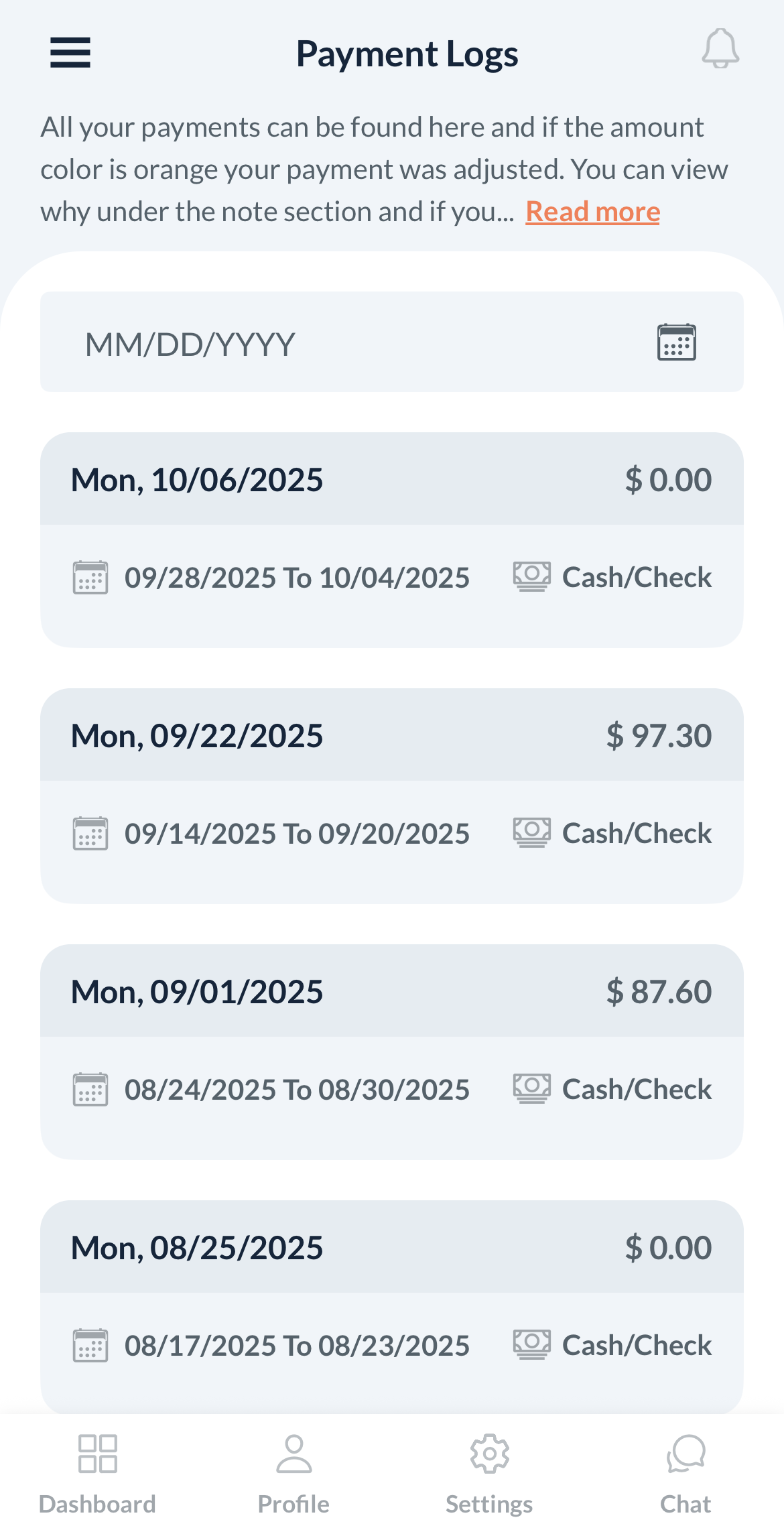
In the Payments tab, you can see each payout date, amount, and payment type. Click View to see the details of what was included in that payment. If anything looks off, reach out so we can review it together.
Keep Your Profile Up to Date
Make sure your phone number and email in Profile are current — that's how we reach you for last-minute updates. Your performance rating is visible there too. Staying on-time and keeping quality high keeps that rating strong and helps you get more work.
Marking Jobs Started and Completed
When you arrive, mark the job Started. When you're done, mark it Completed. These two steps trigger your payout.
Open Your Provider Dashboard →
✓ Before Your First Job
I can log into my dashboard
I can see my upcoming jobs
I recognize the addresses and arrival windows
I know how to mark a job Started and Completed
How Jobs Are Scoped
This labor-hour system applies to Deep Cleaning and Move In/Move Out cleanings — our one-time hourly services. Recurring services are billed as a flat rate, not by the labor hour.
1 labor hour = 1 cleaner working for 1 hour. Jobs are booked for a total number of labor hours — shared across everyone working on the job.
1 labor hour = 1 cleaner working for 1 hour
×
7
hrs
=
7
labor hours
(1 cleaner)
CORRECT
×
3.5
hrs each
=
7
labor hours
(2 cleaners)
CORRECT
×
7
hrs each
=
14
labor hours
(2 cleaners)
DOUBLE BILLED
Important: You are allowed to go a little over the booked time when needed to finish properly. If you believe the job may take around 1.5–2 times longer than what’s booked, text or call us so we can update the customer and hours together.
Deep Cleaning: These jobs are billed on actual labor hours used, with a 4-hour minimum. Hours are tracked from arrival to finish — combined across your whole team.
Move In/Move Out: Very similar to deep cleanings. The main difference is that the home is usually empty, so you’ll often clean inside cabinets and drawers (when they’re empty). Check the Note for Service Provider field for any specific Move In/Move Out instructions.
What to Expect When You’re Assigned a Job
How You’ll Find Out
- Email notification sent to your registered address
- BookingKoala notification in your provider dashboard
What’s on the Job Card
- Date and arrival window — the 1-hour window you have to arrive
- Address and access notes — gate codes, lockbox info, pets
- Total labor hours booked — your time target for the whole job
About Your Arrival Window
You have a 1-hour arrival window for every job. You can show up any time in that window — you don’t have to arrive at the very first minute.
Running a few minutes behind? Just let us know so we can give the client a heads up.
If Something Goes Wrong
- Can’t get in — reach out right away to prevent a lockout fee
- Home is much dirtier than expected — reach out before going over hours
- Job will take longer than booked — if you can already tell the job may take 1.5–2x longer than what’s booked, text or call us so we can update the client and decide together
- Something feels unsafe — you have every right to leave. Call us immediately.
- No electricity or running water — let us know right away
Recurring Services
Recurring cleanings run on a set schedule: weekly, every 2 weeks, or every 4 weeks. You’ll be notified the same way as any other job — email and your BookingKoala dashboard.
Your Schedule Is Yours to Keep
When you’re assigned a recurring client, that schedule is yours to keep as long as reliability and quality stay strong and the client remains on the schedule. Clients love seeing the same provider each visit, and consistency is a big part of how we retain them.
In rare cases — frequent reschedules, quality concerns, or a client request — we may need to reassign a client to protect everyone’s experience.
Need to make a change? Give us at least 48 hours’ notice — for recurring and one-time jobs alike.
Recurring Cleaning Scope
For room-by-room details of what recurring cleanings include, use the Cleaning Checklists below as your guide.
What’s Not Included
The following items are not included in recurring, deep, or move in/move out cleanings:
- Work above a 2-foot step ladder
- Moving anything over 40 lbs
- Biohazard cleanup (mold, pet waste, blood, etc.)
- Clutter organization or wall washing
- Exterior windows
If a client asks for something outside the regular scope, reach out to us first so we can update the booking before you start.
Cleaning Checklists
Use these as your guide for every job. Tap a room to expand the checklist.
Recurring Cleaning
🍳 Kitchen
- Countertops wiped clean
- Stovetop cleaned
- Appliance exteriors polished
- Sink scrubbed
- Cabinet exteriors wiped
- Baseboards dry dusted
- Floors vacuumed & mopped
- Trash removed
🚿 Bathrooms
- Toilet scrubbed
- Shower and tub cleaned
- Sink and vanity wiped
- Mirrors polished
- Baseboards dry dusted
- Floors vacuumed & mopped
- Trash removed
🛋️ Living Areas
- Surfaces and shelves dusted
- Furniture dusted
- Mirrors cleaned
- Baseboards dry dusted
- Floors vacuumed & mopped
- Trash removed
- Cobwebs removed
🛏️ Bedrooms
- Surfaces and shelves dusted
- Ceiling fan dusted
- Mirrors cleaned
- Baseboards dry dusted
- Floors vacuumed & mopped
- Trash removed
Deep Cleaning — Adds to Everything Above
🍳 Kitchen +
- Everything in recurring cleaning, plus:
- Backsplash scrubbed
- Microwave sanitized
- Detailed baseboard scrubbing
- Cabinet interiors (if added to booking)
- Oven interior (if added to booking)
- Fridge interior (if added to booking)
🚿 Bathrooms +
- Everything in recurring cleaning, plus:
- Tile grout scrubbed
- Detailed baseboard scrubbing
🛋️🛏️ All Rooms +
- Everything in recurring cleaning, plus:
- Ceiling fans detailed
- Blinds dusted
- Window sills wiped
- Detailed baseboard scrubbing
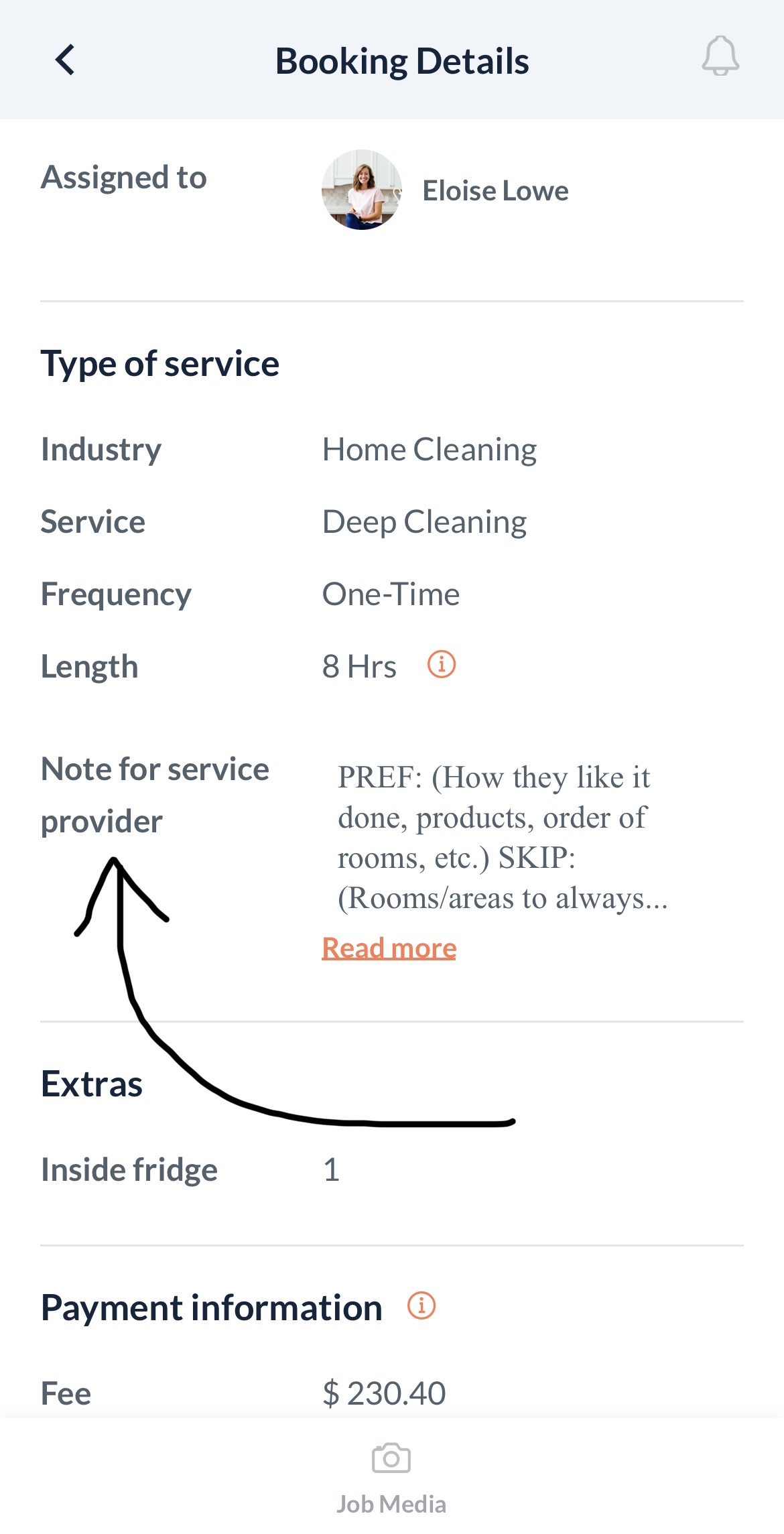
Always check the Note for Service Provider field in your job card. Add-ons like interior appliances or laundry will be listed there if the client requested them.
Setting Your Availability
How to Update It
Give us at least 48 hours’ notice for any schedule changes or job declines.
Tips for Getting More Jobs
- Keep at least 2 consistent days per week open — the single biggest factor in how often you’re offered work
- Update your availability before things change, not after
- If you need to decline a job, do it as early as possible so it can be reassigned
Policies That Affect Your Jobs
These are the situations that come up most. Knowing them now will save you from headaches later.
Arrival Window
You have a 1-hour window to arrive. You can show up any time in that window. If you’re arriving early or might be running behind, just give us a heads up — we’ll update the client.
Cancellations
- Give us 48 hours’ notice whenever possible — for recurring and one-time jobs
- Same-day cancellations leave clients without service and are hard to cover
- If it’s a real emergency, reach out immediately — we’ll work through it
Scope Changes On-Site
- Stick to what’s in the Note for Service Provider field in your job card
- If a client asks for extras not listed, reach out before you start the extra work
- We’ll update the booking first — this protects both you and the client
Damage or Issues You Notice
- If something breaks — or you notice existing damage — take photos right away and let us know
- Don’t try to handle it with the client on-site. We’ll take care of it.
Home Access
- Access codes and entry instructions are in your job card — always check before heading over
- If you can’t get in, reach out to us immediately
- We don’t hold physical house keys on file
Safety
- You are never required to work in a situation that feels unsafe — trust your instincts
- We can’t clean biohazard materials — pet waste, excessive mold, blood, or similar
- If you arrive and find conditions like these, let us know immediately
Quick FAQ
You’re Not Alone
Starting with a new platform can feel like a lot. That’s completely normal — and we’re here for it.
Bookmark this page so you can pull it up quickly before your first few jobs.